
Top 9 Multi-Tenant LMS Platforms Compared for 2026
A no-fluff breakdown of the best multi-tenant learning platforms - who they're actually built for, what they cost, and where they fall short.
If your organization trains more than one audience - say, your internal staff plus external partners, or a handful of client companies - then you already know the pain of trying to manage everyone under one roof. Multi-tenant LMS platforms exist to solve exactly this. But honestly, the term gets thrown around pretty loosely these days, and not every platform that calls itself "multi-tenant" actually delivers on that promise the same way.
We dug into nine of the most talked-about platforms heading into 2026 - everything from well-funded SaaS tools to open-source options that'll save you licensing costs but probably cost you weekends. The goal here isn't to crown a single winner. It's to give you enough real detail so you can actually make a decision without needing to sit through five vendor demos first.
What's in this article
- Docebo - Best for large enterprise extended training
- LearnUpon - Best for mid-market customer training
- Absorb LMS - Best for compliance-heavy organizations
- TalentLMS - Best for budget-conscious SMBs
- Moodle Workplace - Best for open-source flexibility
- Totara Learn - Best for complex org hierarchies
- Open LMS - Best managed Moodle option
- Opigno Enterprise - Best API-first open-source pick
- IOMAD - Best free multi-tenant Moodle build
Table of Contents
First, what does "multi-tenant" actually mean for an LMS?
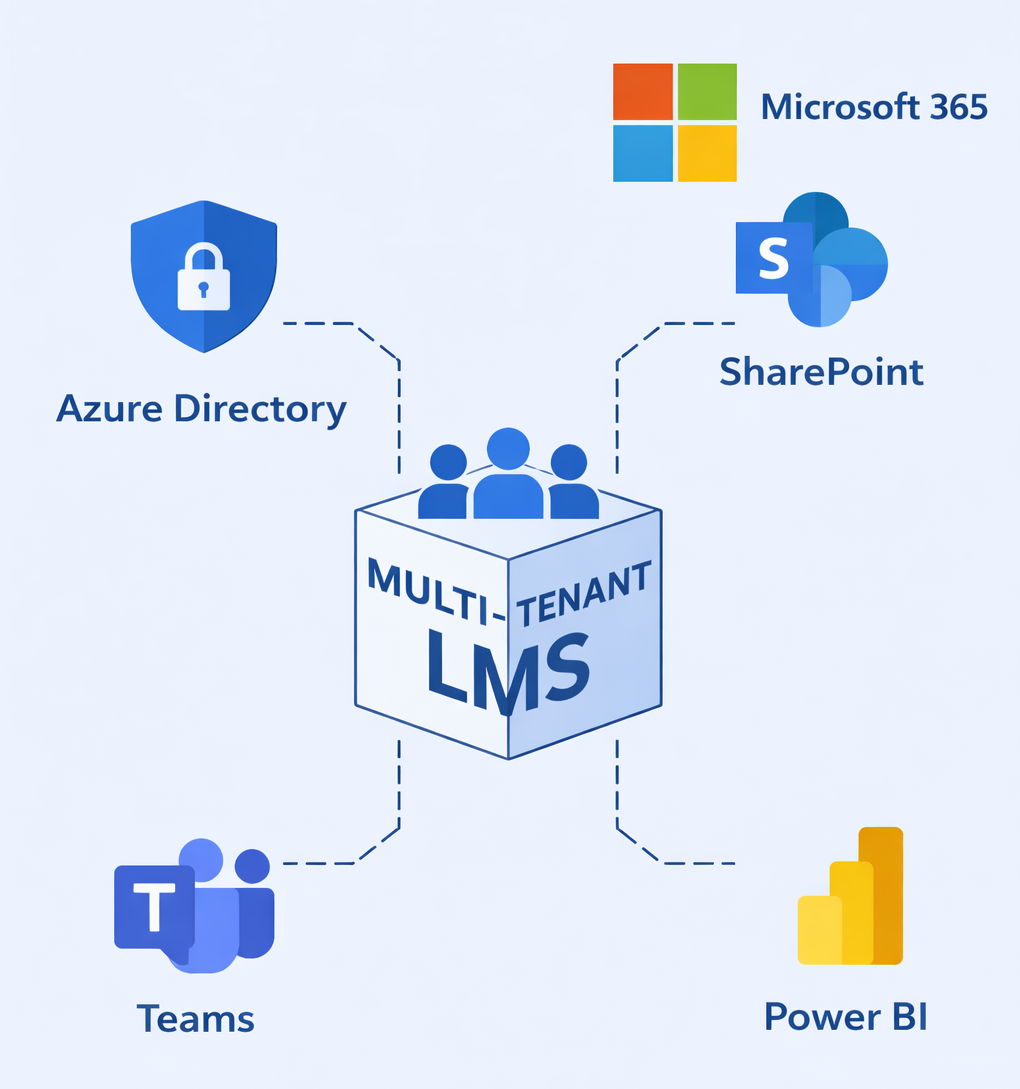
At its core, a multi-tenant LMS lets you run multiple separate learning environments from a single platform instance. Think of it like having one building with many apartments - each tenant has their own space, their own front door and their own stuff, but the landlord (that's you, the super-admin) manages everything from one dashboard.
How platforms implement this varies quite a bit though. Some use "portals", others use "branches", and a few use org hierarchies. The differences aren't just semantic - they affect how much independence each tenant actually gets, whether data is truly isolated, and how much admin overhead you're signing up for. We'll call that out for each platform below.
1. Docebo
AI-Driven Corporate LMS for Extended Enterprise
Docebo is probably one of the first names that comes up when enterprises start shopping for a multi-tenant LMS, and there's a good reason for that. It's been investing heavily in AI features - think personalized learning paths, content recommendations, and skill-gap detection - and its multi-portal architecture is genuinely mature. Each portal you create acts like its own branded LMS. You can spin them up for different audiences: partners, resellers, franchise locations, customer-facing training, whatever you need.
The super-admin layer sits above all portals, letting central IT or L&D teams set global policies and then delegate the day-to-day stuff (content, branding, user management) to portal-level admins. Integrations are extensive - Salesforce, Workday, and dozens of others. If you're running training as a revenue stream, Docebo also supports e-commerce natively, so you can sell course access to clients directly from the platform.
That said, Docebo is not cheap. There's no public pricing, which usually means brace yourself - industry sources put the entry point north of $30,000 per year, and it climbs from there. For smaller teams or orgs that don't need all the bells, it's probably more platform than you need. The admin interface is also noticeably complex; it's the kind of tool where you either hire someone who knows it, or budget time for a proper onboarding process.
Pros
- Mature AI features - recommendations and skill mapping actually work
- Multi-portal architecture with solid central control
- Native e-commerce for selling courses to external clients
- Deep integration ecosystem (Salesforce, Workday, HRIS tools)
- ISO 27001 and SOC 2 compliant
Cons
- Starts at ~$30K/yr - not approachable for smaller orgs
- Admin UI is complex; steep learning curve for new admins
- Reporting can get sluggish with very large datasets
- Overkill for straightforward internal training programs
2. LearnUpon
Extended-Enterprise LMS with Intuitive Portal Management
LearnUpon sits in an interesting spot - it's got the feature depth that enterprises want, but it's not quite as overwhelming as Docebo. The platform is built specifically around the concept of portals, and unlike some other tools where multi-tenancy feels like a bolted-on feature, here it's clearly been part of the design from the beginning. You create portals for different audiences (employees, customers, channel partners), and each one gets its own branding, user base, content library, and settings. Data between portals is fully isolated and encrypted - which matters if you're dealing with clients who ask about data privacy.
What people consistently praise about LearnUpon is the speed of deployment and the quality of support. Customers genuinely go live in a matter of weeks, not months. The automation capabilities are solid too - HRIS integrations, SSO, enrollment rules and workflow triggers all work without much fuss. It covers both internal training and external customer education equally well, which a lot of platforms struggle with.
The catch? There's no built-in course content library. You're starting with a blank slate, which means either buying content from a third party or building it yourself. And while the per-user pricing isn't unreasonable for mid-size orgs, very small companies will find it hard to justify. Around $6–9 per user per month is the ballpark - which adds up quickly.
Pros
- Very intuitive UI - teams typically go live within weeks
- Exceptional customer support, consistently top-rated
- Strong automation: SSO, HRIS integration, enrollment workflows
- Fully isolated, encrypted portal data (SOC 2, ISO 27001)
- Equally good at internal and customer-facing training
Cons
- No pre-built content library - you bring your own
- Per-user pricing (~$6–9/user/mo) adds up for larger headcounts
- Best suited for 400+ user orgs; smaller teams may over-spend
- Less advanced AI/skills features compared to Docebo
3. Absorb LMS
Cloud Enterprise LMS with Multi-Portal Support
Absorb is well-regarded for its clean interface and solid analytics - it's one of those platforms that feels genuinely polished to use day-to-day. The reporting is particularly strong; real-time learner progress dashboards, ROI tracking, and completion metrics that don't require a data analyst to interpret. For compliance-heavy industries (healthcare, financial services, manufacturing), Absorb is a frequent recommendation.
On the multi-tenant front, Absorb supports multiple portals from a single instance. You can configure distinct branding, user roles, and content streams for each portal. However - and this is worth paying attention to - the multi-tenancy here isn't as deep as some competitors. Course creation and top-level administration has to be done at the "owner" level. Portal admins (your tenants) can't fully self-manage; they get selective access to content that the owner grants them. If you need your tenants to operate as fully independent learning environments, this is a meaningful limitation.
Pricing is also firmly in enterprise territory - starting around $30,000 a year, with many of the more interesting features gated behind higher tiers. For an organization that just needs controlled, consistent compliance training delivered across several departments or subsidiaries, Absorb works really well. For use cases where tenant autonomy is critical, it's worth looking at alternatives.
Pros
- Excellent UX - intuitive for both admins and learners
- Strong analytics and real-time compliance reporting
- AI-powered course recommendations and gamification add-ons
- Scales from SMB to large enterprise
Cons
- Tenants can't self-manage - owner controls all course creation
- Expensive (~$30K+/yr) with features gated by tier
- Limited true multi-tenancy vs. Docebo or Moodle Workplace
- Not ideal when tenants need full operational independence
4. TalentLMS
Branch-Based LMS - Fast, Affordable, and Easy to Get Running
If Docebo is the Porsche of multi-tenant LMSs, TalentLMS is more like a reliable Honda Civic - it doesn't have every feature imaginable, but it does what it does extremely well, and the price won't make your CFO spill their coffee. Its multi-tenancy model uses "branches," where each branch acts as a separate sub-portal with its own admins, learners, courses, and branding. Setting one up takes minutes, not days.
The platform has a genuinely modern interface that most users get comfortable with quickly. It ships with gamification, mobile apps, basic course authoring tools and multi-language support. The free tier (limited to 5 users) is good for testing, and paid plans start at roughly $119/month for 40 users - which is a very accessible entry point. For companies that want to onboard clients quickly or segment training across departments without a big IT project, TalentLMS is hard to argue with.
Where it falls short is depth. The built-in authoring tools and gamification are fairly basic - for anything more sophisticated you'll be pulling in an external tool like Articulate or iSpring. Reporting is fine for smaller operations, but it won't satisfy L&D teams who need advanced analytics. It's also not built with academic institutions in mind, so if that's your context, look elsewhere.
Pros
- Fast setup - branches created in minutes, not days
- Very affordable: free tier available, paid from ~$119/mo
- Modern, intuitive UI with minimal training needed
- Gamification, mobile apps, and multi-language included
Cons
- Basic authoring tools - complex content needs external apps
- Reporting adequate for SMBs, not enterprise analytics
- Not designed for academic or K-12 use cases
- Lacks advanced workflows found in bigger platforms
5. Moodle Workplace
The Enterprise-Grade Moodle with Built-In Multi-Tenancy
Moodle Workplace is the enterprise edition of the world's most widely used open-source LMS, and it takes multi-tenancy seriously. You get unlimited tenants from a single Moodle installation, with each tenant operating as its own fully-contained learning environment - unique login pages, themes, user hierarchies, course catalogs, and reporting. A central site allows content (courses, programs, certifications) to be shared down to specific tenants, but by default there's complete data segregation; users in one tenant can't see or interact with another.
The main appeal over commercial alternatives is flexibility and cost structure. There are no per-user license fees - you pay for the server or managed hosting, not the headcount. That makes it extremely cost-effective once you're at scale. The Moodle plugin ecosystem is enormous too, so if you need something the core doesn't do, there's often a plugin or a developer who can build it. For franchise groups, associations, and multi-subsidiary organizations where each unit needs real autonomy, Workplace is genuinely powerful.
The challenge is implementation. Moodle Workplace isn't a sign-up-and-go product. You'll typically need a certified Moodle partner to set it up, configure the tenant structure, and maintain it over time. All tenant data lives in a single database, which satisfies most compliance requirements but won't work for organizations that need physical data separation by regulation.
Pros
- No per-user licensing - very cost effective at scale
- Unlimited tenants with full data segregation by default
- Deep per-tenant theming, dashboard, and automation rules
- Massive plugin ecosystem and global Moodle community
Cons
- All data in one database - limited physical isolation
- Requires certified partners for setup and ongoing maintenance
- Longer implementation timelines vs. SaaS alternatives
- Content sharing across tenants needs careful permission handling
6. Totara Learn
Enterprise LXP Suite with Audience-Based Tenancy
Totara takes a slightly different approach to multi-tenancy compared to most of the platforms here. Rather than discrete portals, it uses organizational hierarchies and a feature called "Audiences" to segment users into tenant groups. You define tenants (and sub-tenants) within a hierarchy, assign users and teams to them, and then control what each group can see, learn, and report on. Each tenant can have its own learning plans, competency frameworks, certification timelines, theme, and even menu navigation.
This approach is genuinely powerful for complex organizational structures - especially where you need different compliance requirements or learning paths per division, region, or subsidiary. Totara is open-source (no seat licenses) and handles very large user populations without breaking a sweat. The platform also sits within Totara's broader Talent Experience Platform, which includes performance management and engagement tools alongside learning.
The downside is that Totara usually requires a technical implementation partner and ongoing Moodle-adjacent admin expertise. The UI isn't going to win any design awards, and building custom themes for each tenant takes actual development work. It's a platform that rewards organizations with dedicated LMS admins - for everyone else the setup complexity can be daunting.
Pros
- Open-source - no seat licenses, scales to huge user bases
- Very granular per-tenant controls: learning plans, competencies, themes
- Strong compliance and certification workflow support
- Part of a broader talent experience suite (performance, engagement)
Cons
- Complex setup - almost always requires a technical partner
- UI is less modern than commercial SaaS alternatives
- Per-tenant theming requires development effort
- Not recommended without a dedicated LMS admin in-house
7. Open LMS
Commercial Moodle with Managed Multi-Tenancy
Open LMS (formerly MoodleRooms) is essentially Moodle Workplace's commercial SaaS cousin - it's a vendor-managed Moodle platform with proper multi-tenancy baked in. The pricing model is per active user, with no extra cost for adding more tenants. So if you have 20 tenants or 200, the licensing math stays the same. You manage everything from a central super-admin dashboard, then provision tenant instances on demand without spinning up a new server for each one.
The vendor handles hosting, backups, security patches, and platform upgrades, which takes a meaningful amount of IT burden off your plate. Content and plugins can be shared centrally and pushed down to specific tenants. For organizations already familiar with Moodle who want the managed experience rather than self-hosting headaches, Open LMS is a natural fit.
It's not without trade-offs. You still need Moodle knowledge to configure tenants and permission structures - it's not as turnkey as LearnUpon or TalentLMS. Heavy customization beyond the Moodle base typically requires development work. And the platform is specifically built for corporate compliance training - if you're looking for something with a casual learner experience, this isn't that.
Pros
- No extra cost per tenant - predictable per-active-user pricing
- Vendor manages hosting, updates, security - less IT overhead
- Central content and plugin sharing across tenants
- Good starting point for Moodle-familiar organizations
Cons
- Still requires Moodle admin knowledge for tenant config
- Deep customization needs development resources
- Focused on compliance training - not a casual learner UX
- Cost can rise significantly at very high user volumes
8. Opigno Enterprise LMS
Modern API-First Open-Source LMS with Built-In Tenancy
Opigno is the kind of platform that doesn't show up on many shortlists, but probably should. It's built on Symfony/PHP, takes an API-first approach, and has multi-tenancy designed into its architecture from the ground up - not added as an afterthought. Each tenant gets its own "learner area" with separate courses, curricula, and compliance configurations. Regional compliance support is a specific design consideration: you can configure different certification periods, content rules, and locale-specific policies per tenant, which matters for global organizations operating across different regulatory environments.
From a technical standpoint Opigno is quite extensible - the API-first design makes it relatively straightforward to integrate with other enterprise systems or build custom interfaces on top. Central admins can monitor progress across all tenants from one view, or drill down into tenant-specific reporting. No per-user licensing costs either, since it's open-source.
The honest limitation is that Opigno is a smaller vendor with a smaller community. Out-of-box integrations are fewer than what you get with Docebo or LearnUpon. The interface, while functional, isn't as polished as the big commercial players. Organizations that go this route should anticipate some custom development work and shouldn't expect the same level of off-the-shelf support as the larger brands.
Pros
- Multi-tenancy is native to the architecture - not bolted on
- API-first design enables flexible custom integrations
- Per-tenant regional compliance and locale configuration
- No per-user licensing costs (open-source)
Cons
- Smaller vendor - fewer large-scale case studies to reference
- Limited out-of-box integrations vs. major commercial platforms
- UI is less polished than enterprise SaaS competitors
- Custom development likely needed for advanced requirements
9. IOMAD
Free Open-Source Multi-Tenant LMS Built on Moodle
IOMAD is arguably the most purpose-built multi-tenant solution on this list, in the sense that its entire reason for existing is to bring true multi-tenancy to Moodle. While standard Moodle requires separate site installations to properly isolate different "companies," IOMAD handles it all in a single install. Each company (tenant) gets its own theme, administrative roles, policies, user base, and course access - all managed from one Moodle instance. Users can even belong to multiple companies and switch context via a menu, which is genuinely useful for consulting or staffing firms.
Separate URLs per tenant are supported if you want them, or everyone can share one URL with automatic company assignment on login. Course sharing across tenants works cleanly, and the departmental hierarchy and role controls are granular enough for most real-world scenarios. And since it's open-source under GPL, there are zero per-user licensing costs.
The trade-offs? Community and commercial support are limited compared to bigger platforms - IOMAD is less widely adopted, and if you run into an edge case, you may find yourself deep in forum threads rather than talking to a support team. You still need competent Moodle admins to run it. Enterprise-grade extras like advanced e-commerce or deep third-party integrations are fewer than what commercial LMSs offer. But as a free, technically capable multi-tenant platform, it's really hard to beat for the right type of organization.
Pros
- Fully open-source - zero licensing cost per user or per tenant
- Purpose-built for multi-tenancy on Moodle; not a workaround
- Users can belong to multiple companies with different roles
- Granular per-tenant theming, roles, and departmental structures
Cons
- Smaller community - limited support for edge cases
- Still requires experienced Moodle admins to maintain
- Fewer enterprise integrations than commercial competitors
- Less development momentum than larger OSS projects
Quick Comparison: Side-by-Side Overview
| Platform | Tenancy Model | Pricing | Best For | Setup Complexity |
|---|---|---|---|---|
| Docebo | Portals | ~$30K+/yr | Large enterprise | High |
| LearnUpon | Portals | ~$6–9/user/mo | Mid-to-large orgs | Medium |
| Absorb LMS | Portals (owner-controlled) | ~$30K+/yr | Compliance-heavy orgs | Medium |
| TalentLMS | Branches | From $119/mo | SMBs | Low |
| Moodle Workplace | Full multi-tenant | Hosting only | Franchises, associations | High |
| Totara Learn | Hierarchy / Audiences | Open-source | Complex orgs | High |
| Open LMS | Tenant instances | Per active user | Moodle-familiar orgs | Medium |
| Opigno | Learner areas | Open-source | Dev-capable mid-market | Medium |
| IOMAD | Companies (Moodle) | Free (OSS) | Budget / Moodle shops | Medium |
So which one should you actually pick?
Honestly, there's no single right answer here - and if a vendor tells you their platform is the best fit before understanding your situation, that's a red flag. But we can point you in some useful directions based on what typically matters most.
If budget is not a constraint and you need something that scales to thousands of users across multiple partner or customer networks, Docebo is the category leader. It's expensive and complex, but it earns its place. LearnUpon is the next step down - less expensive, easier to deploy, and excellent support. Solid choice for most mid-to-large orgs.
If you're a smaller or growing business and want to get something up and running quickly without a lot of headache, TalentLMS is your friend. It does the basics really well at a price point that makes sense.
If open-source flexibility and cost control matter more than convenience, then Moodle Workplace, Totara, or IOMAD deserve serious consideration - especially if you have IT resources or a trusted implementation partner. Open LMS splits the difference nicely if you want Moodle's power without self-hosting.
And if you want something modern and extensible that's not widely adopted yet - meaning your setup won't look like everyone else's - Opigno is worth a closer look, especially if you have developer resource available.
One final thing worth remembering
Before you finalize any decision, ask each vendor specifically: how much can a tenant admin do independently, without needing a super-admin to step in? That single question will reveal more about their actual multi-tenant implementation than any feature comparison chart ever will.
This comparison is based on vendor documentation, publicly available platform analyses, and user community feedback compiled for the 2026 review cycle. Pricing figures are approximate and should be verified directly with vendors.