

Edwiser Bridge Alternative: What to Look For in a Moodle WooCommerce Plugin
If you are looking for an Edwiser Bridge alternative, you probably want the same core job done (Moodle courses sold through WordPress, buyers enrolled automatically) with less setup, a lower yearly cost, or features that are not locked behind several add-ons. CourseTransit is one option. This guide covers what to compare, so you can judge any plugin fairly, including ours.
Key takeaways
- Switch only if cost, a missing feature or ongoing sync problems give you a real reason.
- Compare plugins on sync control, enrolment at checkout, SSO, bulk seats, bundles, logs and total yearly cost.
- CourseTransit covers syncing, selling and enrolment free, with SSO, bundles, bulk seats, cohorts and subscriptions in one Pro plugin.
- Test any switch on a staging copy with real test purchases before changing your live store.
Table of Contents
First, is switching worth it?
Edwiser Bridge is the best-known Moodle and WordPress connector, with a long history and a large user base. If it works for you and the cost is fine, switching has a price: testing, re-checking enrolments and retraining whoever runs your store.
People usually start looking when one of these happens:
- Their renewal is due and the total across add-ons feels high for a small catalogue.
- They need one feature, such as selling seats to companies, and it means another purchase.
- Setup or sync problems keep taking their time.
If none of these apply, stay where you are.
What to compare in any Moodle WooCommerce plugin
How courses become products
The plugin should create WooCommerce products from Moodle courses and keep them updated. Check what it updates on each sync (titles, descriptions, images, categories, curriculum) and whether you can protect your own WordPress edits from being overwritten.
Also check how many places you manage a course in. When I set up Edwiser Bridge, the WooCommerce link was only in the Pro version, and even then the two sides felt disconnected. Each course had its own Edwiser price field, but once WooCommerce was selling it, that field was ignored. So you end up with two prices and two records for one course: the Edwiser course and the WooCommerce product. Simple jobs like changing a price meant jumping between pages and digging through scattered settings.
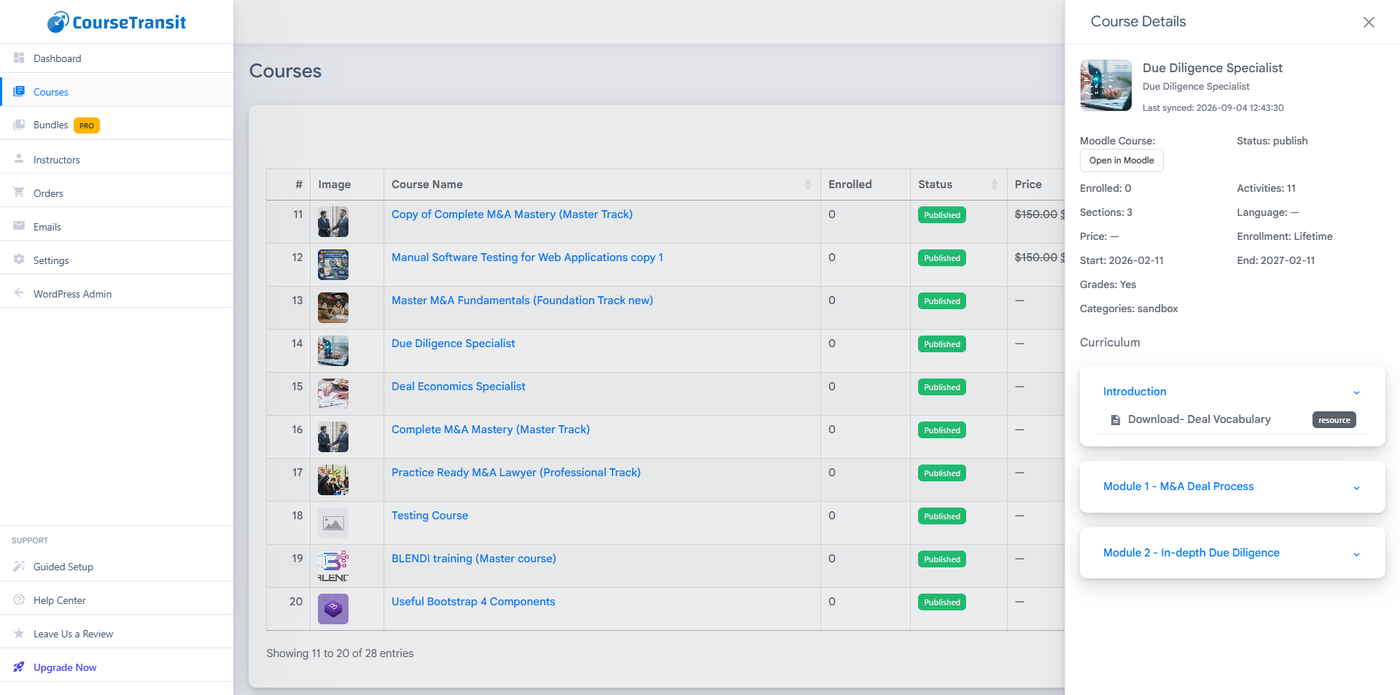
We built CourseTransit to avoid that. It has its own course screen in the WordPress admin, where you can set the selling price and handle the basics without going into WooCommerce.
What happens at checkout
A buyer should be enrolled in Moodle as soon as the order is paid, with an account created if they do not have one. Check how it handles failed payments, refunds and orders that wait for manual payment.
Single sign-on
Without SSO, learners get a second username and password for Moodle. Check whether SSO is included and in which plan.
Selling to companies
If you sell to organisations, you need to sell several seats in one order, ideally with volume discounts, and let the buyer assign seats. Some plugins handle this as a separate add-on.
Bundles
Selling several courses as one product is a simple way to raise order value. Check whether bundles enrol buyers into every included course automatically.
Troubleshooting
When an enrolment does not happen, you need a log that says why. Check for a log screen in the admin, not just PHP error logs on the server.
Cohorts and recurring access
If you sell programmes or memberships rather than single courses, check whether the plugin can add buyers to Moodle cohorts, and whether it works with WooCommerce Subscriptions. Then check what happens to access when a payment fails, a customer cancels or an order is refunded.
Total yearly cost
Add up the core plugin, every add-on you need and the number of sites. Compare like for like using each vendor’s current pricing page.
How CourseTransit handles each point
| What you need | CourseTransit |
|---|---|
| Course sync to WooCommerce products | Free. Sync settings control what updates, per field type |
| Enrolment on purchase | Free |
| Course pages | Free. CT Courses block for the WordPress editor |
| Enrolment emails with dynamic tags | Free |
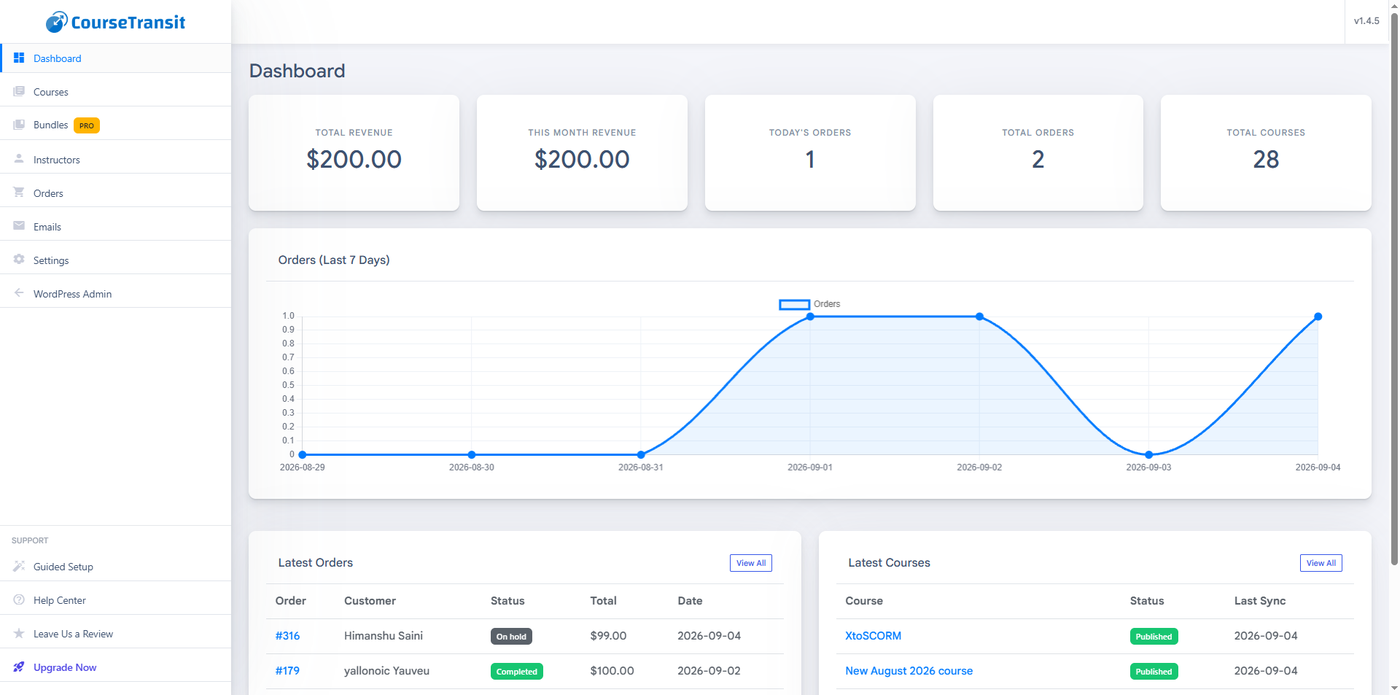
| Sync log in the admin | Free. Settings > Logs |
| Choose which courses to sync | Pro (Select & Sync) |
| Automatic sync when Moodle changes | Pro |
| Single sign-on | Pro |
| Course bundles | Pro |
| Bulk seat purchase, tiered discounts, request a quote | Pro |
| Sell access to Moodle cohorts (programs) | Pro |
| Recurring access with WooCommerce Subscriptions | Pro |
Everything above is in one Pro plugin, not a set of add-ons. Current Pro pricing is on the CourseTransit page.
Bundles
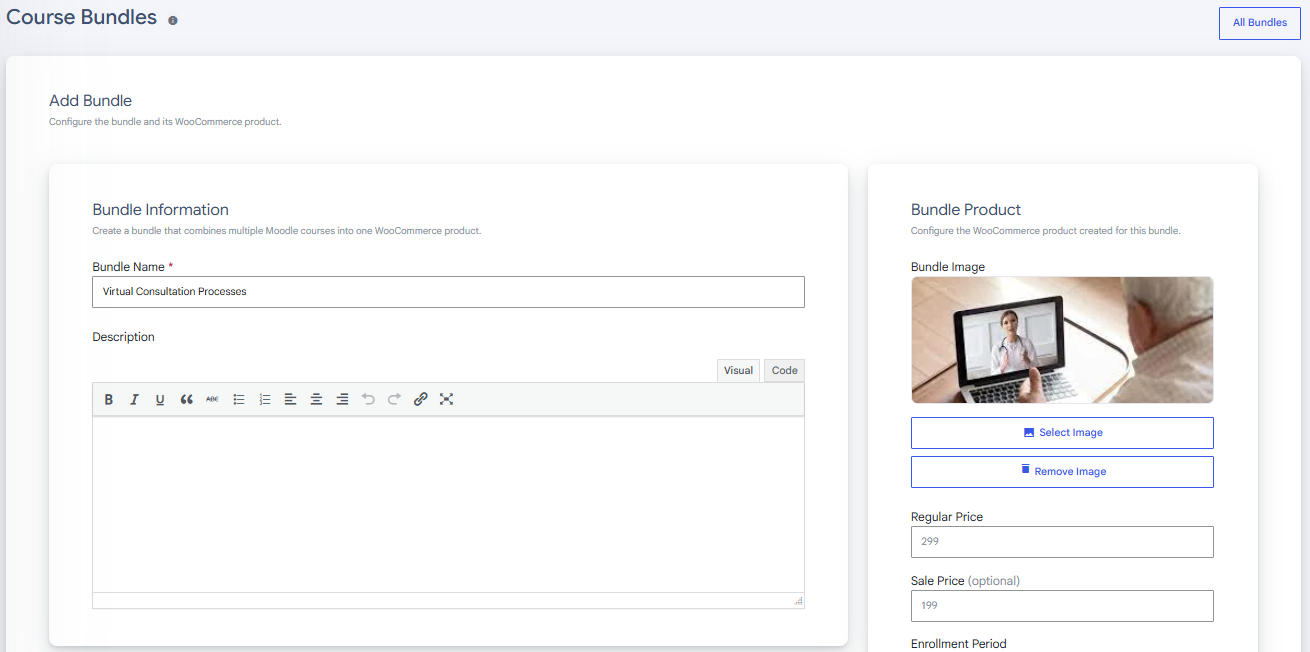
Pro bundles combine several Moodle courses into one WooCommerce product. When a buyer completes a purchase, CourseTransit enrols them into every course in the bundle.
Selling seats to companies
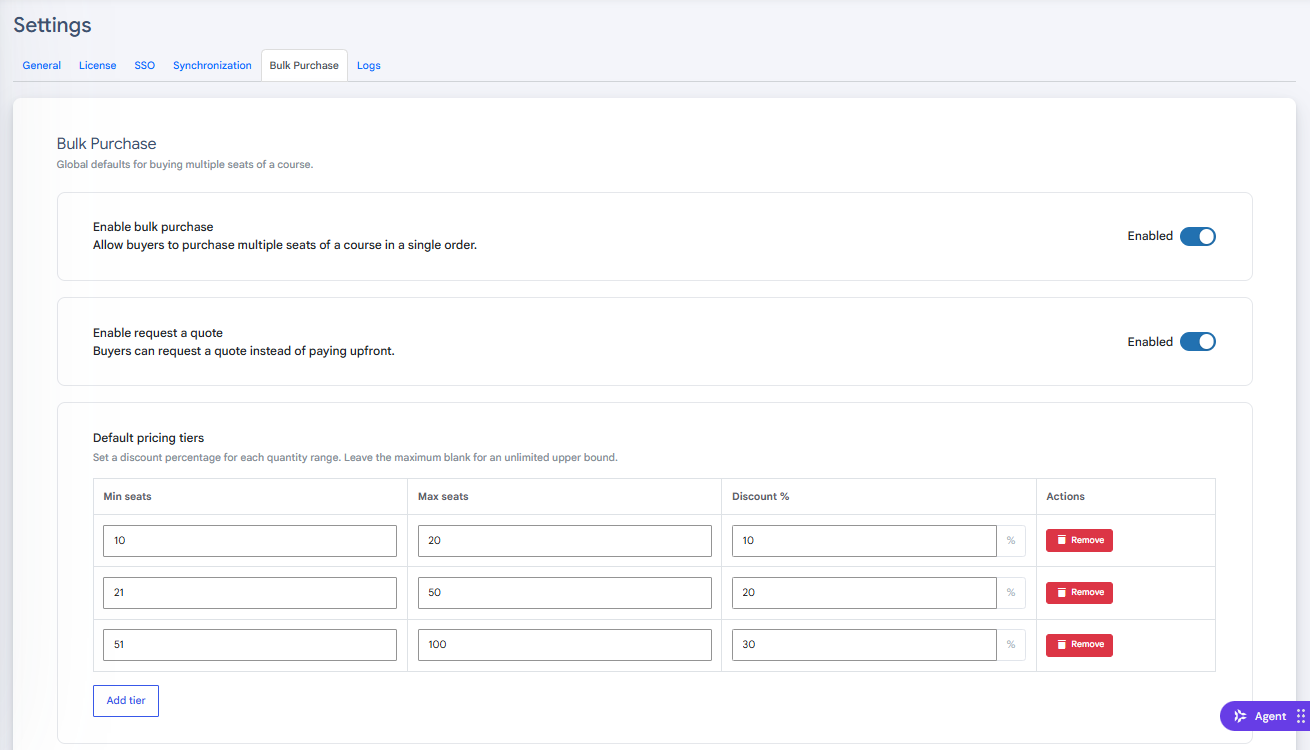
Pro bulk purchase lets buyers order several seats of a course in one order. You set discount tiers by quantity, and you can let buyers request a quote instead of paying upfront.
Cohorts and subscriptions
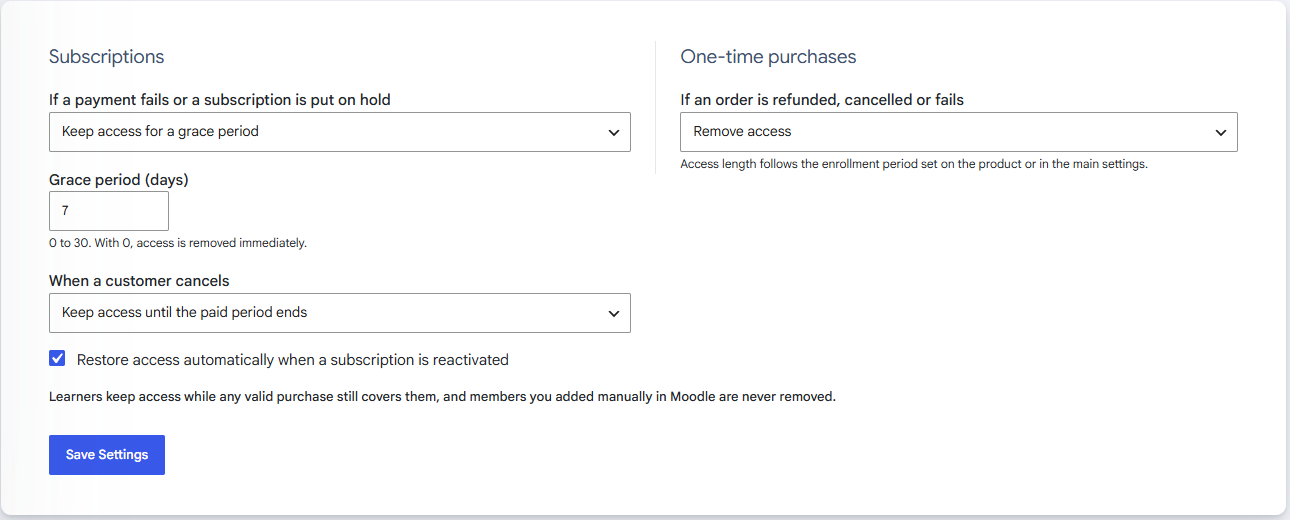
Pro Programs sell access to one or more Moodle cohorts as a WooCommerce product, one-time or recurring with the WooCommerce Subscriptions extension. You decide what happens to access when a payment fails (keep it for a grace period of up to 30 days), when a customer cancels (keep it until the paid period ends) and when an order is refunded. Learners you added to a cohort by hand in Moodle are never removed.
Where Edwiser Bridge may suit you better
- You already use other Edwiser products and want one vendor.
- You rely on a specific Edwiser add-on that has no equivalent elsewhere.
- You want the plugin with the largest community and the longest track record.
If you decide to switch
Plan it like any other change to a live store: copy the site to staging, install CourseTransit there, sync your courses, and run test purchases before touching the live site. You can see how setup works in how to sell Moodle courses with WooCommerce.
Frequently asked questions
Sell your Moodle courses from WordPress
CourseTransit syncs Moodle courses into WooCommerce and enrols buyers automatically. The free version covers syncing, selling and enrolment.
About the author: Himanshu Saini
Founder of JustAddWater and Moodle LMS architect. 13+ years building and supporting Moodle and IOMAD learning platforms, and AI integrations.
